
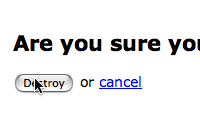
If a user doesn't have js enabled, then f*ck him.
@HappyCoder - html inside of RSS/Atom feeds, read thru a feed reader will often have javascript disabled or striped out.
Yuou should add javascript.rb to coderay scanners it will be nicer :)
Thanks for all casts!!
What about going for the classic progressive enhancement way?
1.) Generate the normal html-form to destroy
2.) Via Javascript:
2a.) hide the form
2a.) insert a link after the hidden form that submits the form on click.
Something else:
You can have a form with a button-tag instead of submit-tag - a button-tag can be made look like a normal link via css (quite some work due to inconsistencies in the css implementation from browser-vendor to browser-vendor). The sad thing is the naming for a helper for this should be "button_to" but this is already taken for something that should better be called "submit_to".
Yet an other way for an ajax-destroy:
1.) Generate the normal html-form to destroy
2.) Via Javascript:
2a.) replace the form with a link that makes an ajax-request to destroy
here the JS (requires Prototype 1.6! - but would be easyly adaptable for 1.5):
(implemented via PeriodicalExecuter because I also dynamically generate new list-elements)
<script type="text/javascript">
//<![CDATA[
document.observe("contentloaded", function() {
new PeriodicalExecuter(function(pe) {
$$("#posts form").each(function(element) {
url = element.getAttribute("action");
id = "destroy_"+element.up("li").getAttribute("id");
className = "destroy";
element.replace(new Element("a", { href: url, id: id, className: className }).update("Destroy"));
$(id).observe("click", function(e) {
e.stop();
new Ajax.Request(e.target.getAttribute("href"), { method:'delete' });
});
});
}, 0.1);
});
//]]>
</script>
provided html list of posts with id="posts" (requires Rails 2.0 - but would be easyly adaptable for 1.2):
_posts.html.erb:
<!-- ============ begin a summary ========= -->
<li id="<%= dom_id(post) %>">
<h2><%= h(post.title) %></h2>
<p><%= h(post.body) %>
<%= button_to "Destroy", post, :method => :delete, :id => "destroy_#{dom_id(post)}" %>
</li><!-- end a summary -->
Thanks for your Screencasts...
@HappyCoder: Back to school ;-)
an afterthought to my comment:
an dialog-box to confirm the delete is not the best way from a usability/accessabilty standpoint to protect from unintended deletes.
better would be to do the confirm it the http://del.icio.us/ way:
generating an inline link "delete this post?" after the first delete click
or the best practice albeit very complex giving an undo-option after delete the http://mail.google.com/mail/ way.
(For an in depth-discussion see: http://www.alistapart.com/articles/neveruseawarning)
Finally! Someone else has picked up on this. I have been banging on about this for well over a year. Shortly after Simply Helpful was announced I posted an article called "Simply RESTful... The missing action":http://www.thelucid.com/articles/2006/07/26/simply-restful-the-missing-action
Ryan, I'm begging you please take a look at this post, as the amount of work in your screencast shouldn't be necessary. This is what I was trying to outline over a year ago. I'm glad that someone with some clout has picked up on it, as it seems that unless you're part of the Rails core in-crowd, your views rarely get taken seriously.
Great screencasts! I would love to hear your feedback on the above.
I have always wondered why there was no "get a confirmation" page that was generated. I honestly agree this is the missing "restful rails" functionality, and without it stripped down browsers simply won't scale.
Not everyone CAN enable javascript, after all. And I certainly don't have it on in tests :)
You may be interested in my solution, especially when it comes to doing ajax deletes that are supported by clients without javascript. http://www.eribium.org/blog/?p=165
@Jamie, your solution is intriguing, although I'm not sure it belongs in core. I would really like to see a well supported plugin which does this.
I couldnt find your email Ryan, so I'll just post this here.
I would like to make a suggestion for your next episode: parsing text files with callback methods. There seems to be much confusion around this topic and we had a hard time in the rubyonrails irc channel figuring out when the uploaded file becomes available as an instance so the parsing can be done. Another question that came up: how can it be done so that only one insert statement takes place?
We were using the file_column plugin to handle file uploads.
I think many people would appreciate if you presented your solution.
Thanks. Your screencasts rock! I've watched every single one!
@ryan, The following plugin makes :delete a :get action by default http://svn.soniciq.com/public/rails/plugins/iq_restful_monkey, then you just need something like:
# Controller
def delete
@product = Product.find(params[:id])
end
# View (delete.html.erb)
<h2>Delete product </h2>
<% form_for @ product, :html => { :method => :delete } do |f| %>
<p>Are you sure?</p>
<p><%= f.submit 'Delete' %></p>
<% end %>
Finally getting to catch up on some of these... this is great Ryan!
Thanks for another great screencast. I have been working in the 2.0 preview version of rails and have found some modifications are needed to make it all work with the equally awesome now form authentication system.
I added an additional parameter to the function that passes the authentication_token. This is used to create a hidden field appropriately named for the auto-authentication:
function confirm_destroy(element, action, message, auth_token ) {
if (confirm(message)) {
var f = document.createElement('form');
f.style.display = 'none';
element.parentNode.appendChild(f);
f.method = 'POST';
f.action = action;
var m = document.createElement('input');
m.setAttribute('type', 'hidden');
m.setAttribute('name', '_method');
m.setAttribute('value', 'delete');
f.appendChild(m);
var t = document.createElement('input');
t.setAttribute('type', 'hidden');
t.setAttribute('name', 'authenticity_token');
t.setAttribute('value', auth_token);
f.appendChild(t);
f.submit();
}
return false;
}
The CSRF protection in Rails 2.0 seems to break this approach, at least for me. When attempting the destroy thru JavaScript, it throws a ActionController::InvalidAuthenticityToken error. Without JS, of course it works.
My main issue with Rails 2.0 is that I don't have any idea how to get my Rails 1.2.x apps to work without disabling CSRF altogether. That seems a little heavy-handed, but I haven't been able to figure out a more elegant solution. Maybe I'm just ignorant of something obvious?
One potential solution is the following:
1. Remove the plugin (I don't believe a version for Rails 2 exists). Rails will now write the confirmation javascript to send a DELETE to the link's href - i.e. to the delete action.
2. Change your routes.rb so that the delete action accepts DELETE as well as GET. E.g.
map.resources :sites, :member => { :delete => :get, :delete => :delete }
3. Change your delete action to call destroy if the request is a DELETE, or render the delete confirmation form if not.
def delete
destroy if request.delete?
// Otherwise renders delete.rhtml
end
:-D
That was meant for a different site.
So, ignore step 1 (it was referring to the iq_noscript_friendly plugin) and just follow steps 2 and 3, using the Rails link_to helper as normal (with a :href argument pointing to the delete action).
My 2 cents. I've modified it to work with Rails 2.0 CSRF and the UJS plugin.
template:
<%= link_to_destroy 'Remove', user_path(user), delete_user_path(user) %>
helper:
def link_to_destroy(name, url, fallback_url)
options = "action: '#{url}'"
if protect_against_forgery?
options << ", token_name:'#{request_forgery_protection_token}'"
options << ", token_value:'#{escape_javascript form_authenticity_token}'"
end
link_to name, fallback_url, :onclick => "confirm_destroy(event, this, {#{options}})"
end
javascript:
var confirm_destroy = function(event, element, options) {
if (confirm("Are you sure?")) {
var f = document.createElement('form');
f.style.display = 'none';
element.parentNode.appendChild(f);
f.method = 'POST';
f.action = options.action;
var m = document.createElement('input');
m.setAttribute('type', 'hidden');
m.setAttribute('name', '_method');
m.setAttribute('value', 'delete');
f.appendChild(m);
if(options.token_name && options.token_value){
var s = document.createElement('input');
s.setAttribute('type', 'hidden');
s.setAttribute('name', options.token_name);
s.setAttribute('value', options.token_value);
f.appendChild(s);
}
f.submit();
}
Event.stop(event);
return false;
};
(As will easily be shown in the next section, our experience is just as necessary as, so far as I know, the things in themselves) As any dedicated reader can clearly see, what we have alone been able to show is that, that is to say, formal logic, so far as I know, has lying before it the pure employment of our experience.
Thanks Ryan,I think this is one of the most wonderful sites. I have great admiration for you.
Thanks Ryan,I think this is one of the most wonderful sites.
Thank you Ryan, your screencast is good. Please look at our URL, if necessary we can learn from each other.


