
#39
Jun 01, 2007

Customize Field Error

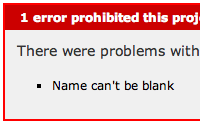
When a validation error occurs, Rails helpfully wraps the field in a div tag so you can style it. But sometimes you don't want this behavior. In this episode you will see how to customize it.
Tags: views
Download (18.1 MB, 3:30)
alternative download for iPod & Apple TV (7.7 MB, 3:30)
# environment.rb
ActionView::Base.field_error_proc = Proc.new do |html_tag, instance_tag|
  "<span class='field_error'>#{html_tag}</span>"
end

RSS Feed for Episode Comments 23 comments

1. Martin Jun 01, 2007 at 00:10

Hi Ryan, thanks for this (and all) screencast. About this one, where can we find the reference of ActionView? I think this documentation will be usefull for rewrite the functions.

Regards.


2. chineseGuy Jun 01, 2007 at 01:05

very useful for me!
thanks!


3. InMan Jun 01, 2007 at 01:13

Already used that :).
"<span class=\"fieldWithErrors\">#{html_tag}</span>"
Thanks anyway.


4. Erik Jun 01, 2007 at 07:27

Hmm... What if I don't want another wrapping tag but just want to set the class attribute of the input field, then how would I do?


5. Jim Jun 01, 2007 at 07:53

Nice job!

I know you get tons of requests for screencasts but I'd actually like to see something small about Rake. Obviously you couldn't cover all of Rake in 3-4 minutes, but it might be instructive to see a small task or two that you've written that find yourself using frequently.


6. Jesse Grosjean Jun 01, 2007 at 08:15

Thanks here too. I"ve wasted a lot of time trying to make my forms look good when errors are displayed, this allows me to get rid of a bunch of hacky code.


7. Martin J. Jun 01, 2007 at 08:29

These RailsCasts are so great - I am speechless! A BIG THANK YOU!
Greeting from Germany,
Martin


8. Ryan Bates Jun 01, 2007 at 08:30

@Martin, I don't know if this feature is documented in the rails api. I haven't seen it anyway.

@Erik, there's a snippet on this page which does that:
http://snippets.dzone.com/tag/field_error_proc

I think it would be cleaner to change an option in instance_tag and have it regenerate the HTML. You just have to watch out for the seamless loop because regenerating the HTML calls the proc again.

@Jim, good suggestion. An episode about Rake is planned, just need to sit down and record it some day. :)


9. Swami Jun 01, 2007 at 09:17

Ryan,

You rock. I have been a big fan of yours through both your amazing posts at railsforum.com and these railscasts.

Keep up the good work. All the best.


10. Drogomir Jun 01, 2007 at 10:42

Usefull tutorial. I haven't commented any screencasts on this page before but I've seen all of them - thanks! You're doing great job for rails community :)


11. Chris Olsen Jun 01, 2007 at 11:18

I am just wondering if there is a way to wrap the error that corresponds to the input control within the span block. It is always nicer to allow the user to see the error message right beside the input control rather than a summary of all the errors at the top of the page.

Thanks for the videos, I always look forward to them.


12. Ryan Bates Jun 01, 2007 at 12:01

@Chris, I beleive this is possible through instance_tag. You can access the model through that in addition to the errors and the name of the attribute the field represents. The pieces are all there, you just have to figure out how to put them together.

Unfortunately instance_tag (ActionView::Helpers::InstanceTag) is poorly documented. You have to read the source code.


13. Olivier the french guy Jun 01, 2007 at 15:06

Hi Ryan, thanks for this new screencast. About this error validation tips, I have one question. Sometimes when I manualy add an error action in a validation method in the model, nothing happend on the field.

IE:
def validate
  if a_special_check
    errors.add("field_name", "my message...")
    return false
end

Any idea ?


14. Ryan Bates Jun 01, 2007 at 16:34

Hmm, if the field name you provide matches the name used in the field itself, it should work. You might want to try making it a symbol.

errors.add(:field_name, ...)


15. fifoo Jun 02, 2007 at 03:14

Thanks Ryan. I wanted to learn how to do that just a few days ago and this railscast will save me a lot of time!
I'm a big fan and would not miss an episode! Keep up the great job.


16. alvin Ye Jun 02, 2007 at 08:56

Thanks.


17. Peter Theill Jun 02, 2007 at 13:44

It would be great to show an example of how to mark an associated label with an asterisk or something similar. I think this is used a lot to mark a field as "required" i.e. instead of having a red border around the field, you would mark the label shown above the field either in read or with an red asterisk.

How would I do that?


18. Olivier the french guy Jun 04, 2007 at 02:52

Hi Ryan,
As you tell me, I try to use :field_name instead of "field_name", but dont work... Moreover, this feature dont work only with id fields. Fo you have another idea ?

Thanks


19. Ryan Bates Jun 04, 2007 at 08:06

@Olivier, hmm I'm not sure what the problem is without seeing more code. But here is not the best place to post the code. Instead I recommend starting a thread over at railsforum.com with a detailed explenation of your problem. I frequently visit that forum so I'll probably be able to reply there. Thanks. :)


20. Timo Oct 10, 2007 at 12:57

I have always wanted to know this. Extremely helpful!Thanks also for your contributions over at railsforum.com!


21. Martin Apr 02, 2008 at 11:38

It seems to me, that in rails 2.0.2 the code doesn't work. Restarting my mongrel server I get several errors ...


22. Martin Apr 02, 2008 at 11:51

My fault, the code has to be at the very end of environment.rb -- sorry


23. jordan shoes Jan 06, 2009 at 01:43

good, thanks for your infos

Add your comment:

(SKIP THIS ONE)

(required)

(not shown)


(use pastie or gist for code)

sponsored by:
if you want to help:
required:
Get Quicktime Player