
#122
Aug 11, 2008

Passenger in Development

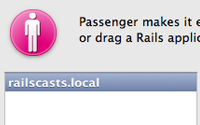
Tired of juggling multiple Rails apps around with script/server? See how to set up Passenger in development so each one has its own local domain name.
Tags: tools
Download (18.3 MB, 7:52)
alternative download for iPod & Apple TV (10.9 MB, 7:52)

Sorry to make this platform specific. It looks like Passenger isn’t available on Windows.

Resources

sudo gem install passenger
sudo passenger-install-apache2-module
mate /etc/apache2/httpd.conf
sudo apachectl graceful
mate /etc/hosts
tail -f log/development
touch tmp/restart.txt


# /etc/apache2/httpd.conf

LoadModule passenger_module /Library/Ruby/Gems/1.8/gems/passenger-2.0.2/ext/apache2/mod_passenger.so
PassengerRoot /Library/Ruby/Gems/1.8/gems/passenger-2.0.2
PassengerRuby /System/Library/Frameworks/Ruby.framework/Versions/1.8/usr/bin/ruby

NameVirtualHost *:80

<VirtualHost *:80>
  ServerName railscasts.local
  DocumentRoot "/Users/rbates/code/railscasts/public"
  RailsEnv development
  RailsAllowModRewrite off
  <directory "/Users/rbates/code/railscasts/public">
    Order allow,deny
    Allow from all
  </directory>
</VirtualHost>


# /etc/hosts

127.0.0.1 railscasts.local

RSS Feed for Episode Comments 71 comments

1. gissmog Aug 11, 2008 at 04:20

Hello.

I just installed passenger last night on a Ubuntu Dapper Box using the prepacked .deb from brightbox:
 
http://www.modrails.org/install.html

Installing without any problems - seems to work fine!

Great job guys, great job ryan!


2. riki Aug 11, 2008 at 04:42

I got as far as installing the pane, but it's giving me the following error message:

Can’t find the Phusion Passenger Apache module. 
Visit http://www.modrails.com for installation instructions.


3. riki Aug 11, 2008 at 05:24

Never mind, still mistake on my part, it's working now.


4. dfguy Aug 11, 2008 at 05:42

@riki

don't just say that you got it working. what did you do wrong? What was the fix? always give details since it could help someone else.


5. Hongli Lai Aug 11, 2008 at 05:51

In your screencast you asked whether Windows is supported. Phusion Passenger intents to support all POSIX-compliant operating systems. That is, pretty much all operating systems in the world, except Microsoft Windows.


6. Jess Olsen Aug 11, 2008 at 06:12

I'm having problems installing the gem:

Error installing passenger:
ERROR: Failed to build gem native extension.

/System/Library/Frameworks/Ruby.framework/Versions/1.8/usr/bin/ruby extconf.rb install passenger
can't find header files for ruby.

This also happened to me when I tried to install RedCloth, but why I ask, why?


7. Jess Olsen Aug 11, 2008 at 06:19

Sorry for posting an unrelated question.

It turns out that you need the OS X developer tools installed in order to have the ruby header files.

Btw, great episode as always.

/Jess


8. Dinooz Aug 11, 2008 at 06:54

I did try Passenger, however, I noticed it wasn't as fast as my current "Thin". Sounds like a really nice & easy way to quickly configure for hosting companies, but my question is regarding memory optimization when you have multiple virtual domains.

Maybe does not take as much memory at the begining since you run your a single Apache daemon and fork all the child processes, but I'm not sure how to compare with have Apache as a load balancer and multiple Thin servers oposite to let passenger to handle everything...

B. Keep doing the great job.


9. Samatar Osman Aug 11, 2008 at 07:27

Hey guys,

Doing something similar on Windows PCS is just quite as simple. After you have installed apache you can do the following:

Open to: %SystemRoot%\system32\drivers\etc\ (using Run)

Edit your hosts file and add the domain you wish ie:

127.0.0.1 localhost
127.0.0.1 mysite1.local
127.0.0.1 mysite2.local

Then you can add the same apache directives as ryan did on his show:

NameVirtualHost *:80

<VirtualHost *:80>
  ServerName mysite.local
  DocumentRoot "path/to/doc/root"
  <directory "path/to/directory">
    Order allow,deny
    Allow from all
  </directory>
</VirtualHost>

This is language agnostic, but if your working with rails, you can add the rails directives in the virtual host statement as well.

Samatar Osman


10. Gavin Laking Aug 11, 2008 at 07:29

Thanks Ryan, great 'cast as usual!

I'm just wondering why I'm having to restart passenger every time I make even the most minute of changes to a controller, model or view. It's like some sort of caching is going on, but I don't remember ever setting it up. Any ideas?


11. jason b Aug 11, 2008 at 07:32

just a heads up to anyone that is wondering if debugging (ruby-debug) is possible when using mod_rails in development:

http://duckpunching.com/?p=17

have yet to try it myself as i just installed passenger locally yesterday, but i see no reason that it shouldnt work.


12. Tres Trantham Aug 11, 2008 at 07:56

Thank you for yet another great railscast. I have been wanting to check out Passenger for quite some time now and found this a perfect opportunity. I followed the instructions for OS X with the prefpane and everything went smoothly. However, when I navigate to site.local, I get a Forbidden/Access Denied error for everything on that site. I added an Allow from all to my httpd.conf for that directory but I still get the same error. Any ideas?


13. Jess Olsen Aug 11, 2008 at 08:14

@Riki

How did you fix the error? I'm having the same problem but don't know what's wrong.

The prefpane just says:

Can’t find the Phusion Passenger Apache module. 
Visit http://www.modrails.com for installation instructions.


14. Gavin Laking Aug 11, 2008 at 08:20

@Jess:

A potential fix: When you add the configuration code to your Apache configuration file, make sure you manually restart the server before installing the prefpane; as the prefpane might be asking Apache about it's configuration not checking the httpd.conf file itself.

I might be wrong!


15. Carl Aug 11, 2008 at 09:00

I've been using passenger on my slicehost account for a couple of months now and it makes deployment much easier, especially when you have a couple of different sites that you want to have available for clients to check out when they have time, and don't want to set up a mongrel permanently. Because a site that isn't used for a while can take a little bit to start up again when someone hits the site (it's not long, but I deal with very non-technical people who sometimes freak out when something even seems slow) I will sometimes add a cron job to hit the site every minute and then just disable it when that's not as important anymore. Example cron job:

* * * * * wget -q --spider http://site.name.com/ >/dev/null 2>&1 > /dev/null

Even with the smallest slice they have I'm able to run a few sites and still have about 100 MB free most of the time, which would be hard with running mongrels for each one all the time.


16. Gavin Laking Aug 11, 2008 at 09:08

@Carl: Great tip to improve the perceived start-up time!


17. Hongli Lai Aug 11, 2008 at 10:13

@Dinooz: Passenger will use less memory than Thin if you use it in combination with Ruby Enterprise Edition. www.rubyenterpriseedition.com/comparisons.html has details, most notably the graphs at the bottom.

@Gavin Laking: Make sure you've set it to development environment, not production environment (the default).


18. riki Aug 11, 2008 at 10:16

@ Jess Olsen

I have an Apache Preference Pane for a second install of Apache, which was causing confusion.

I turned that off and made sure I edited the right config file. I also had to start File Sharing and then used terminal to start Apache, rather than the Apache Preference Pane.


19. Carl Aug 11, 2008 at 10:17

@Gavin: Glad I could help.

In case anyone else has any questions about setting some of this sort of stuff up (passenger, Apache, etc) I've found the articles on slicehost to be quite helpful, and they are freely available to everyone here:

http://articles.slicehost.com/

They seem to update them pretty frequently and while they do have them broken down by OS (for the OS's most commonly installed on their hosting plans) many of them are just good articles and apply, with a little understanding, to most OS's.


20. riki Aug 11, 2008 at 10:18

sorry meant "web sharing" not file sharing.


21. Rob Lacey Aug 11, 2008 at 10:23

I've been using Passenger for a number of months now, while it seems to work great. It always takes 5 - 10 seconds to return a response (on the first response) and then its lightning fast. I am running it only on a Xen guest so perhaps I need more memory. Its certainly encouraging to drop multiple mongrels in place of a small amount of apache tinkering :)


22. rolando Aug 11, 2008 at 10:33

Hi
I also get the 403 error when trying to open the site in the browser.. Any clues how to handle this?


23. Ron Green Aug 11, 2008 at 11:04

Ryan, check this out.
http://www.ronfgreen.net/articles/2008/06/03/passenger-and-virtualhostx


24. Luigi Montanez Aug 11, 2008 at 11:42

Anyone else getting "Preferences Error - Could not load Passenger preference pane." when trying to open the Passenger PrefPane?

Screenshot:

http://bit.ly/1m0dct

Manually setting things up works fine, so I don't think it's specific to the Passenger I'm using (2.0.3).


25. Carl Aug 11, 2008 at 12:58

@Rob: check my response above for a way to combat that lag. Passenger will deallocate memory when processes are not used for a while and return that to the system (imagine with you had something that spawn Mongrels as needed for your app and then shut them down if they weren't used for a while, that's a simplification but basically accurate as I understand it). So if the site isn't used for a while you will have a short lag (5 to 10 seconds sounds about normal) the first time it is used after the last process is stopped (again, not perfectly accurate but close enough). If you create the cron job to have the box hit the site once a minute then there should always be one instance running (at least) and you should have that lag. The only exception, if you are running in production at least, if if you create a file in the rails_root/tmp directory called restart.txt (easiest way: use the command "touch tmp/restart.txt" if you are in the root of your rails app). In that case it will reload all the rails files the next time a request is made (and that text file will disappear).


26. Jay Aug 11, 2008 at 13:36

Also getting Forbidden


27. Rob Lacey Aug 11, 2008 at 14:30

@Carl: Thanks for the suggestions, I shall have a play. I made the assumption that Passenger worked in that way, but didn't know for sure. My setup is really only a test bed. For production servers that have a significant load I can't see this being a problem. We use nagios to monitor the site which would keep the Passenger processes going.


28. Francois Aug 11, 2008 at 15:13

Very cool. Great screencast, I'll give this a try. Thanks Ryan.


29. Ryan Bates Aug 11, 2008 at 15:55

For all those getting 403 forbidden, make sure these lines are specified in your apache config somewhere.

<directory "/path/to/app/public">
  Order allow,deny
  Allow from all
</directory>

You may need to move that path up a bit so it covers the full rails app instead of just public.

Also check the permissions on the files themselves to make sure apache can read them.

Don't forget to restart apache after changing the config.

@Luigi, are you running 10.5.2 or later? I think that's required to use the preference pane.


30. Andrew Vit Aug 11, 2008 at 17:18

For those using VMWare to test sites in Windows, don't use 127.0.0.1 for the hostname resolution. Run "ifconfig vmnet8" and grab that address. That should be the same address that the VM gets for its gateway when you run it as shared (NAT) networking. For Parallels, it creates a NAT host-guest network in your Network preference pane, and you can use that address in that case. Don't forget to copy what you added to your Mac hosts file to your Windows hosts file, in /Windows/system32/drivers/etc/hosts.


31. Bryce Aug 11, 2008 at 22:50

Thanks to the link to that prefpane!


32. Dejan Ranisavljevic Aug 12, 2008 at 01:30

If you have apache2 with MacPorts installed. Than you have to do 2 extra things :

export APXS2=/opt/local/apache2/bin/apxs

export PATH=/opt/local/apache2/bin:$PATH

sudo passenger-install-apache2-module


33. Sam Millar Aug 12, 2008 at 04:28

Wonderful, I was really tired of starting my development apps every time I wanted to develop, this is so useful.

Thank you Ryan!


34. Morgan Roderick Aug 12, 2008 at 12:39

For those using non-Apple suppied Ruby, you might not have RubyCocoa installed, and will experience errors with the prefPane.

Eloy was kind enough to help me out, so check out his advice, before you bug him, like I did.

http://fingertips.lighthouseapp.com/projects/13022/tickets/4-nothing-happens-when-clicking


35. AS Aug 12, 2008 at 19:41

We have passenger running on both a ubuntu production server and debian production server and so far there have no issues. Thank you for the great tip about the prefpane, didn´t know about that one.


36. Boza Aug 13, 2008 at 18:38

I'm getting this message when I try to access the application

"Seeing this instead of the website you expected?"

Everything else was fine.


37. Adam Meehan Aug 13, 2008 at 19:06

For those worried about the start up lag in production, you can set the idle time to some value with the apache directive

PassengerPoolIdleTime <integer>

More info at http://www.modrails.org/documentation/Users%20guide.html#PassengerPoolIdleTime

I set this to some value like 15 minutes then I usually have site monitoring setup like pingdom or site24x7 which hit the site every 15 minutes and will keeps the process alive. That way at least one instance is always running. But others shutdown when not used.


38. James Edward Gray II Aug 14, 2008 at 05:59

The "Forbidden" errors are permission issues. Apache needs the Rails application directory and public directory to have at least 755 permissions. It also needs all directories in the path before the Rails application to have at least 711.

My problem was my Documents folder. My application was inside of this and it was not executable by anyone. I fixed it with the command:

  chmod 711 ~/Documents

I also assume the log and tmp (plus all tmp subdirectories) need to be writeable, but I haven't verified that. I switched those to 777.

Hope that helps.


39. Jonas Mueller Aug 14, 2008 at 06:25

I have the same issue as Boza. Passenger seems to set up the routing correctly, but accessing the resulting URL in Safari loads a "Test Page for Apache Installation".

I haven't found a entry in /etc/apache2/httpd.conf that looks like it might cause this. Any ideas?


40. Jonas Mueller Aug 14, 2008 at 06:29

Sorry for the double entry but it turns out Jame's solution also worked for the test-page-problem. I have my rails projects in ~/Sites, so chmoding ~/Sites to 711 worked for me.


41. sal Aug 14, 2008 at 14:28

OH MAN!!

it was a message from the almighty himself, I just browsed to railscasts to search for such a topic... And what do ya know, top and center!!
So perfect!

thanks for the pref pane tip!

cheers


42. Marc Aug 14, 2008 at 15:01

Hey Ryan,

Do you have any comments on the different webserver options. I know modrails is great.. and simple.. but when it really comes down to it, what is better? The thing which still sells me on the mongrel_cluster route is that it's a cluster! This must surely give significant bonuses? You can even fork off to other machines. I haven't found much information on modrails to be honest. I guess what I'm asking is.. at the end of the day, will a heavily loaded server still need to "go through the mission" of setting up the clusters? You said railscasts uses Passenger.. but it's also not a complex site. Does it have what it takes?


43. Ryan Bates Aug 14, 2008 at 16:57

@James, thanks for that! It would explain why I didn't get the 403 error.

@Marc, Passenger spawns new instances of your Rails app on demand, as your site needs it. This way it is very efficient because it uses only the resources it needs. Also, according to the benchmarks, it is better on memory and performance than other servers when combined with Ruby Enterprise Edition. I highly recommend it.

As for load balancing across a cluster of machines, I don't know if Passenger does this. Anyone want to chime in?


44. DBA Aug 14, 2008 at 17:23

@Ryan and @Marc
When it comes to clustering I believe it behaves pretty much the same way as if you were using Apache to run a PHP site, should you be any more familiar with that.

Just put a load balancer in front of 2 or more servers, each having it's own Apache + Passsenger.

Best regards.


45. Marc Aug 15, 2008 at 05:26

Thank you for the info.


46. juwalter Aug 15, 2008 at 09:09

fyi - if you have file fault on ... your home folder in /Users/yourname has tight permissions (700) which will prevent apache from reading your rails projects folder if it is there; fix/change it by doing "chmod 755 /Users/yourname" - worked for me, after hours of fighting with a somewhat generic "Forbidden"; also consider setting the Apache "Listen" directive to "Listen 127.0.0.1:80" to avoid somebody else in your subnet accessing your server/site


47. Eloy Duran Aug 15, 2008 at 09:49

Thanks for the awesome screencast Ryan!

Just wanted to add a few comments, that you may or may not already know;
- You can also add applications by dragging the application folders onto the source list.
- You can easily edit the vhost configs by dragging applications from the source list onto, for instance, your text editor.

Keep up the good work!

Cheers,
Eloy Duran


48. Tim Sullivan Aug 15, 2008 at 13:25

Great screencast, Ryan!

Is there an easier way to set up subdomains using the Passenger Pref Pane, besides editing the hosts file manually?

Thanks,

-- Tim


49. Ryan Bates Aug 17, 2008 at 16:16

@Tim, next episode is on subdomains and I'll mention a couple alternatives in the show notes. :)


50. mat Aug 19, 2008 at 00:32

On Ubuntu 8.04 I had the problem that static images and stylesheets were not being loaded.

To the set of directives Ryan provided

<directory "/Users/rbates/code/railscasts/public">
    Order allow,deny
    Allow from all
</directory>

I had to add two directives to make it work:

<directory "/Users/rbates/code/railscasts/public">
   Options FollowSymLinks
   AllowOverride None
   Order allow,deny
   Allow from all
</directory>

(However, before I did that I checked that my permissions on /public and relatives were right like James Edward Gray II explained.)

Good luck!


51. Josh Pencheon Aug 19, 2008 at 02:09

For anyone getting: "Can’t find the Phusion Passenger Apache module" with the Passenger PrefPane...

Following Ryan's instructions and copying the three lines into the Apache config file, I *finally* realised that the lines in the show notes refer to passenger 2.0.2, whereas I have installed 2.0.3. A silly mistake, but I can't believe I'm the only one that fell for it!

Thanks for the great screencasts, Ryan! :-)


52. Zef Aug 19, 2008 at 15:38

I have this setup and it is working properly, but I do have a problem:

if I go to a static site in my user's "Sites" folder (http://localhost/~username/static_site/), all the css stylesheet links are broken because of a routing error from the rails app which is running.

The top rails app in the Passenger pref pane runs as localhost, so I don't know how to get around that. Can anyone help?

I've done some mucking around in /etc/apache2/ but haven't had any luck... thanks!


53. AJ Morris Aug 20, 2008 at 08:16

So I might be over looking or just being a little paranoid here, but I'm having an issue with getting a site to run under Passenger, that runs perfect under Mongrel. When I access the site via Passenger I noticed that it's looking for Ruby here /System/Library/Frameworks/Ruby.framework/Versions/1.8/usr/lib/ruby/1.8/rubygems, but I've actually installed Ruby here /usr/local/bin/ruby. When I run the app under mongrel (which uses /usr/local/bin/ruby) I don't have a problem. When when it looks in the other place it seems to have an issue with gems.

I know that one of the lines that you are supposed to put in the httpd.conf file goes to this /System/Library/Frameworks/Ruby.framework/Versions/1.8/usr/lib/ruby/1.8/rubygems, so I'm wondering if I could just change that to this /usr/local/bin/ruby.

BTW, I'm running Leopard and compiled my own version vs using the pre-installed from Apple.


54. Gaius Novus Aug 25, 2008 at 13:17

Any chance you could do a version of this that worked with both :80 and :443? One of the key reasons I want to use Passenger in development is so I can test things like ssl_only filters, which would otherwise require starting two servers and communicating between them.


55. Aadam Aug 26, 2008 at 07:00

To everyone getting the "Seeing this instead of the website you expected?" Type errors you need to set the NameVirtualHost directive (http://httpd.apache.org/docs/2.0/mod/core.html#namevirtualhost)

in a global part of the apache conf put:
NameVirtualHost *:80

and then the virtualhost sections should start with
<VirtualHost *:80>
ServerName example.local

If you want to run an app on port 80 and 443 I think this would work but I'm not sure
NameVirtualHost *:80
NameVirtualHost *:443
<VirtualHost *:80 *:443>
ServerName example.local

Try the apache docs if that doesn't work (http://httpd.apache.org/docs/2.0/vhosts/examples.html)


56. Darin Aug 31, 2008 at 07:21

Besides just being uber cool, and super easy, I found one OUTSTANDING bonus for me. I no longer have to deploy an app just to see how it looks in IE (since I develop on FF on a Mac).

Now, I can just point my Windows computer to my dev computer's IP address, and Bam! there is the app, as rendered on any OS or browser I have set up. That is a real time saver in CSS development. I'm sure there are other ways of being able to see a development app in multi platforms/os's/browsers, but I have not found any, and this one works like a charm.

Thanks for the excellent screencast!


57. Nick Quaranto Sep 03, 2008 at 05:28

Ryan, awesome podcast! I've created a few helpful rake tasks to help out with using Passenger in development that those interested in this subject may want to look at:

http://github.com/qrush/attendant/tree/master


58. Michael Doornbos Sep 09, 2008 at 08:46

One solution for the 302 / forbidden error is to have apache run as your user instead of www

So change:

User www
Group www

to

User myusername
Group myusername

Also adding:

Listen 127.0.0.1:80

is a good security measure, it keeps Apache accessible only to your local machine.


59. gaw.in Sep 09, 2008 at 23:43

On OS X 10.5 you could also add the hostname with the dscl utility (incase your /etc/hosts gets flushed after a reboot).

# Create hostname
dscl localhost -create /Local/Default/Hosts/railscasts.local IPAddress 127.0.0.1

# Delete hostname
dscl localhost -delete /Local/Default/Hosts/railscasts.local

# List hostname(s)
dscl localhost -list /Local/Default/Hosts

* Note: You might need to sudo this :)


60. Stew Sep 12, 2008 at 11:36

Pref pane works awesome, issue i am having is that when i run the site through passsenger, my css seems to be missing.
Also, even though the selection is set to DEVELOPMENT, it seems to look for PRODUCTION DBs(on another app)

Any Ideas?


61. Mario Zigliotto Sep 29, 2008 at 18:52

Ryan,

Excellent tutorial as usual. Passenger was a breeze to setup in Ubuntu with some minor tweaks to the paths that go in Apache's conf.

The guys who wrote Passenger did a fantastic job and installation is cake.

For those who are interested, SliceHost has a nice tutorial for Hardy: http://articles.slicehost.com/2008/5/1/ubuntu-hardy-mod_rails-installation


62. verynew_to_all_this Sep 30, 2008 at 09:56

Hi,
after installing passenger on my local machine, it works fine :) thanks ryan.
but ... I had some PHP application on localhost that I was accessing like so: localhost/app.

when trying now I get a Routing error: No route matches "/app" with {:method=>:get}.

and don't now what to do, can some body help please.
thanks

a.


63. everloss Oct 27, 2008 at 07:41

I've just been checking out ruby on rails. Looks nice but I think I would need this sort of thing for an efficient dev/testing framework, as I would not want to go live until I was confident in what was happening.

Thanks for the apache script.


64. Air Jordan Shoes Nov 03, 2008 at 22:41

thanks again for your great job! i will try later!


65. cheap wow gold Nov 05, 2008 at 01:13

Excellent tutorial as usual


66. fiesta online money Nov 20, 2008 at 18:47

Thanks Ryan,I think this is one of the most wonderful sites. I have great admiration for you.


67. Cheap metin2 gold Nov 24, 2008 at 23:30

I have great admiration for you.


68. lily Nov 27, 2008 at 20:35

Thank you Ryan, your screencast is good. Please look at our URL, if necessary we can learn from each other.


69. wow spirit beast Nov 28, 2008 at 01:26

awesome! thanks for your infos


70. Akhil Bansal Nov 30, 2008 at 22:45

Hi guys,

Any idea how to use 'debugger' with this type of setup in development?


71. Eloy Duran Dec 04, 2008 at 05:20

Hi,

Wanted to let you guys know that there's a new version of the preference pane. v1.2

http://www.fngtps.com/2008/12/passenger-preference-pane-v1-2

Cheers,
Eloy

Add your comment:

(SKIP THIS ONE)

(required)

(not shown)


(use pastie or gist for code)

sponsored by:
if you want to help:
required:
Get Quicktime Player